
ZenDesk may look different to you as of February, 2016. Never fear; everything you need is still here.
To submit a new ticket:
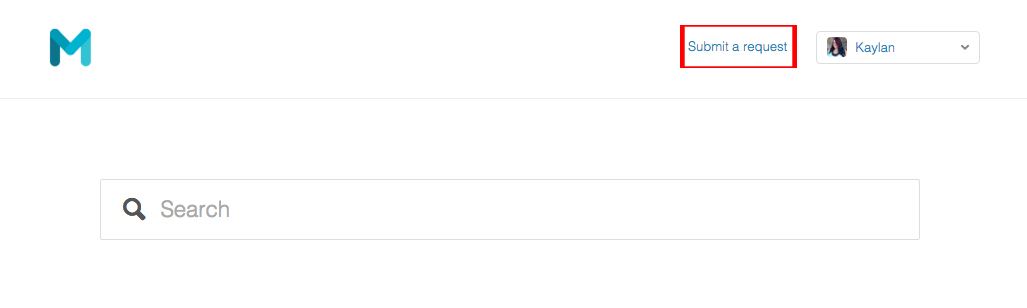
Look for the "Submit a request" link in the upper right hand corner- seen outlined in red below.
To see a list of all your tickets:
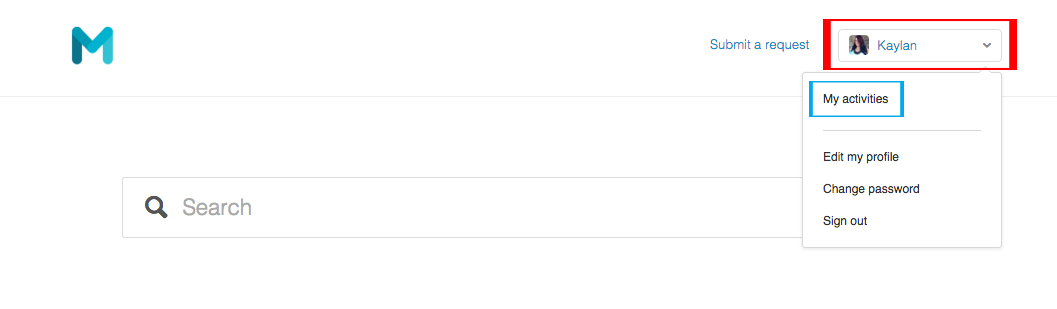
Click on your name in the upper right corner- seen outlined in red blow. This will bring up a flyout menu. Click on "My Activities", seen outlined in blue below.
To see all the tickets for your organization:
Please Note: Not everyone has access to this feature. If you believe that you should have access and don't currently, please submit a ticket requesting access to view your organizations tickets Attn: Kaylan.
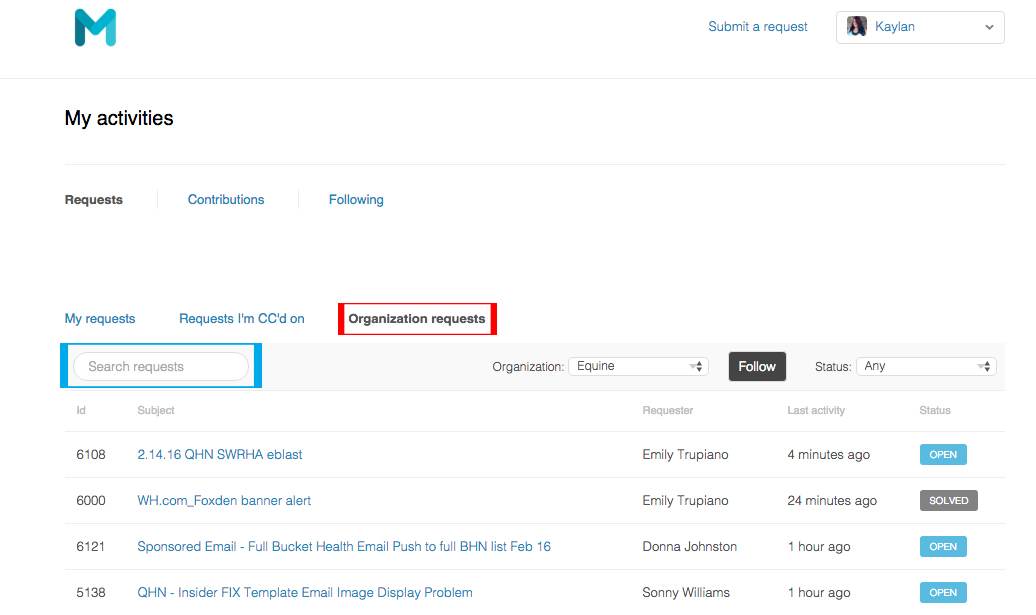
After following the instructions above to see a list of all your tickets, you should see a tab for "Organization requests"- seen outlined in red below. Clicking on this will bring up a searchable list of tickets for your organization. Using the search box- seen outlined below in blue - you can search for keywords or by specific name, or even ticket numbers.
If you have any questions, or can't find a feature you used to use- please submit a ticket through this website or via email (support@morrismedianetwork.com) attn: Kaylan.
0 Comments